
☰ Chapters
12. Config Snapshots & Restore
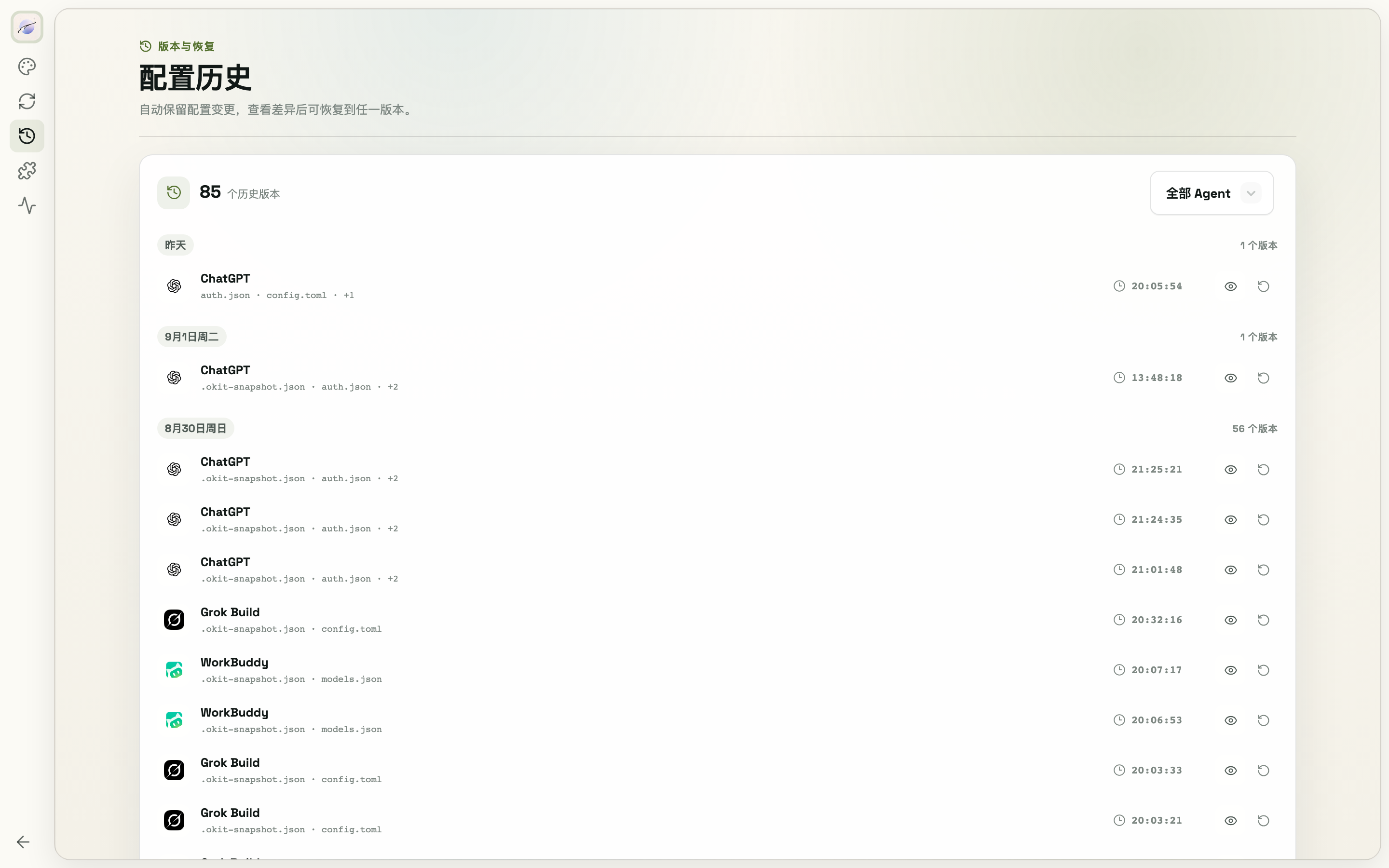
ModelSwap automatically snapshots the current config before every provider/model switch, every site save, and every manual config-file save.
- Go to Settings → Config History
- Filter by agent (or view all); each version shows its timestamp and affected files
- Click View for a side-by-side diff (added/removed line counts, JSON compared key-sorted to cut noise), then Restore to roll back
- Restoring takes its own safety snapshot first, so a restore itself is reversible
Bad switch, broken config, or "last week's combo" — this is where you get it back.