
☰ Chapters
7. Model Providers
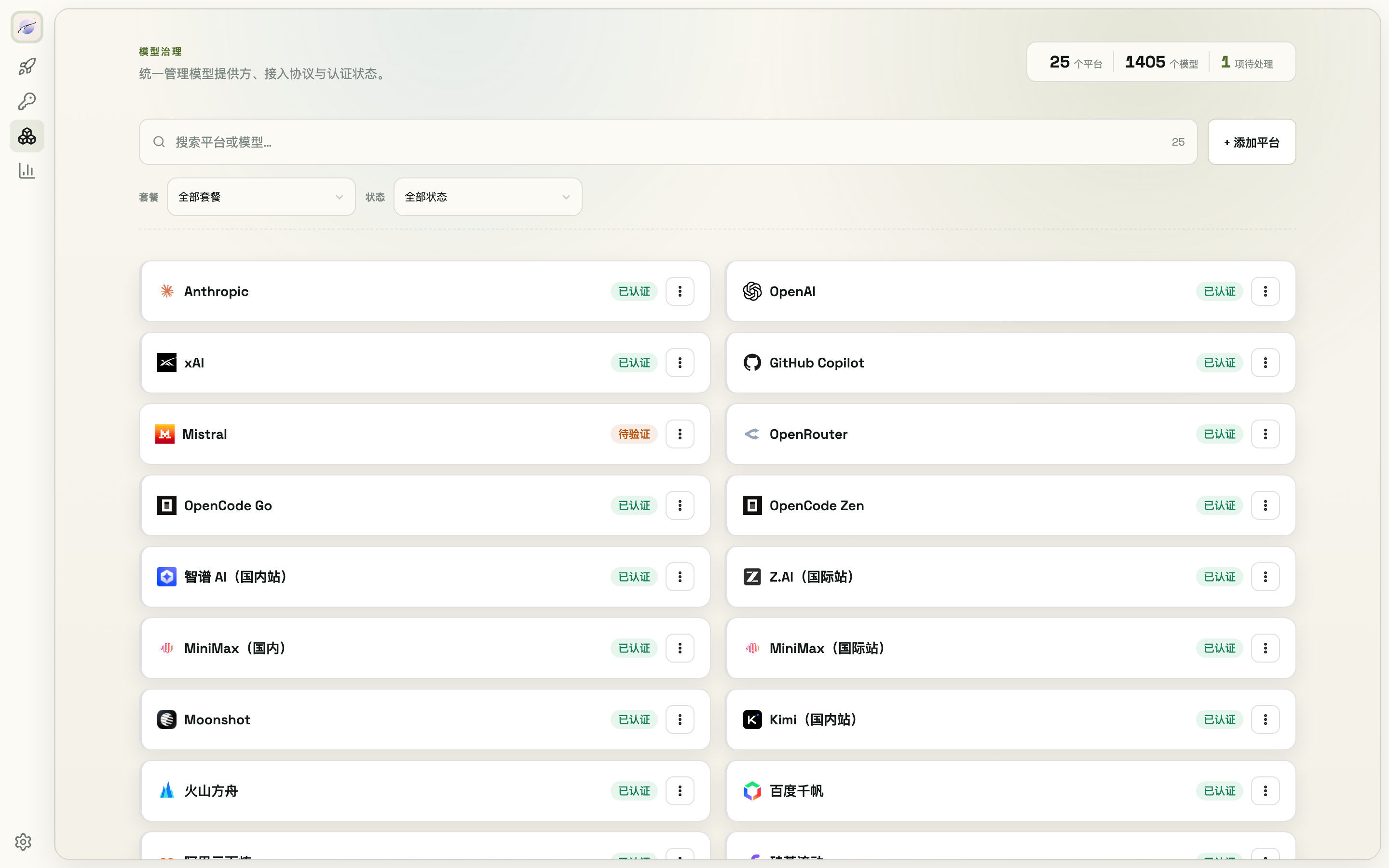
The Models page ships 42 provider presets (official APIs, aggregators, Chinese and global cloud platforms) and also supports adding custom platforms.
7.1 Browse & filter
- The search box at the top matches platform names and model names
- Filter by plan (Coding Plan / Token Plan / Go Plan / Agent subscription / API only) or by status (authenticated / needs setup / needs verification / needs review / in use)
- Every platform card carries an auth status badge — hover for details (OAuth vs API key auth, last review time, …)
7.2 Configure a platform
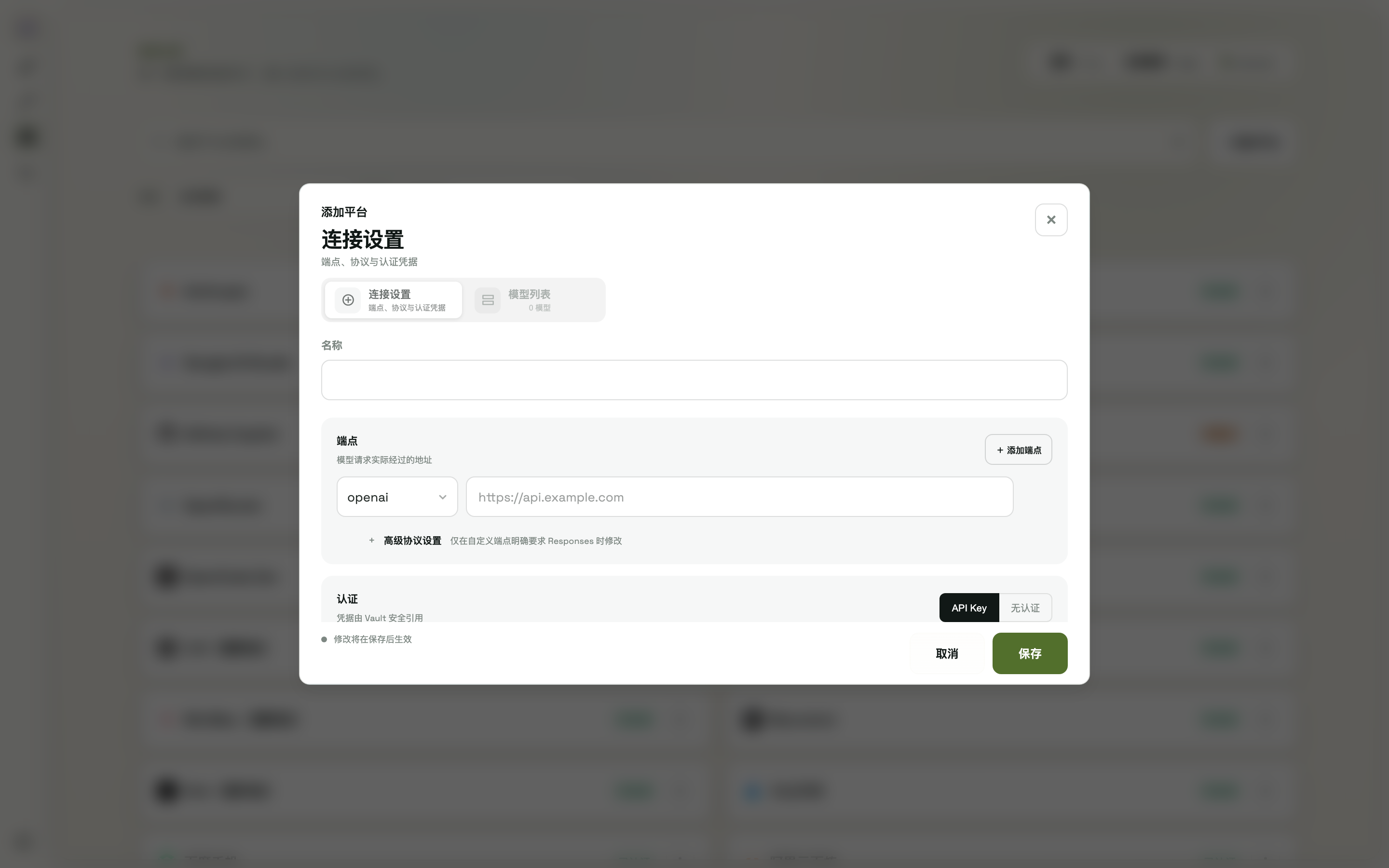
Open a platform's edit form (custom platforms start from + Add platform):
- Endpoints: configure several; each row is a protocol type (anthropic / openai / responses / typesafe) + Base URL. Custom platforms can switch an openai endpoint between chat / responses under "Advanced protocol settings"
- Auth: an API key (picked from the vault, can create one on the spot) or no auth (only for local services, public endpoints, or trusted internal gateways). Agent-native platforms like Claude subscriptions take no endpoint — they use OAuth login instead
- Model list: auto-filled after a successful connection test; you can also add/remove rows manually (each row is the
modelparameter used in requests) - The form header links to the platform's official API docs and console
7.3 Connection test & model refresh
- After picking a key in the form, click Test connection: each endpoint is verified, and once all pass the platform's model list is fetched automatically into the form
- Platform card ⋯ menu:
- API key connect / Sync models: verify auth → sync the model list
- OAuth login (supported platforms): triggers the CLI login flow; models sync automatically on success
- Settings (edit) and Delete
7.4 Command line
modelswap provider list              # list all providers (--json for scripts)
modelswap provider add               # add
modelswap provider delete <name>     # delete
modelswap provider auth              # auth status of all providers