
☰ Chapters
11. Multi-Device Sync
11.1 Cloud sync
End-to-end encrypted cross-machine sync. The cloud only ever sees ciphertext; the master key stays on your machine. All machines use the same sync password. Supported platforms: iCloud, WebDAV, Cloudflare (R2 / KV / D1 / Workers Secrets), Supabase, Volcengine.
Configure a platform and the sync password under Settings → Cloud Backup, then:
modelswap vault push                 # push keys + agent/provider configs to all enabled platforms
modelswap vault pull                 # pull the newest copy from each platform and merge
modelswap vault test cloudflare-kv   # test one platform's connection (e.g. supabase, cloudflare-kv)
11.2 Auto sync (recommended)
Turn on Auto Sync in settings and forget about manual push/pull:
- Local changes (keys, agent configs, provider configs) are pushed automatically 10 seconds later
- All enabled platforms are pushed at once, backing each other up; pulls always pick the newest copy across platforms
- Remotes are checked every 5 minutes and merged if newer (newest-wins by modification time — newer local changes are never overwritten by older data)
- On service start, ModelSwap merges remotes first, then pushes any unsent local changes
- The first enable pushes once immediately to establish a cloud baseline
11.3 LAN device sync
Sync directly between machines on the same LAN — no cloud account needed. Entry point: Settings → Device Sync → Add device.
Prerequisites: both machines on the same LAN, using the same sync password (it is the root of the end-to-end encryption; if the primary machine has none yet, the dialog asks for one when you start).
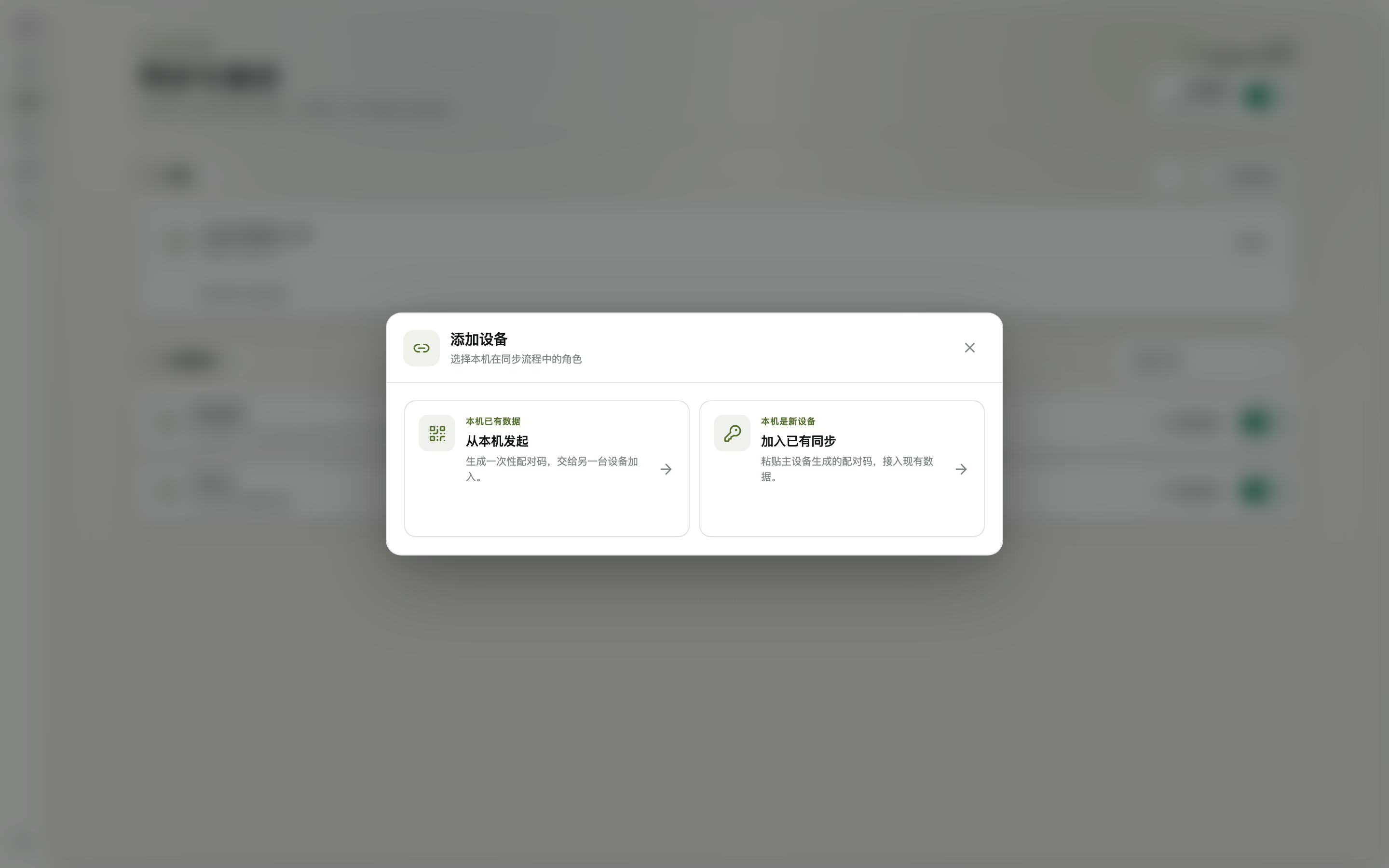
① Start from the machine that has the data (primary)
- Settings → Device Sync → click Add device
- Choose "Start from this machine" (this machine already has data)
- The dialog generates a one-time
modelswap-lan://pairing code (expires after a short window) — copy it - Keep ModelSwap running on this machine; it notifies you automatically once the peer pairs
② Join from the new machine
- Install and start ModelSwap on the new machine, go to Settings → Device Sync → Add device
- Choose "Join an existing sync" (this machine is new)
- Paste the pairing code, enter the same sync password as the primary, click Connect
After pairing
- The device list shows live online status; a LAN peer acts as a sync platform — manual
modelswap vault push/pulland auto sync both include it - Data is end-to-end encrypted; if the primary's IP changes (e.g. the router reassigns it), just re-pair once
- If the firewall blocks the first connection, allow inbound connections for ModelSwap (default port 3790)
- LAN and cloud sync can be enabled together as mutual backups; the ⋯ menu in the Device Sync section offers token reset and turning LAN sync off