
☰ Chapters
6. Working with the Vault
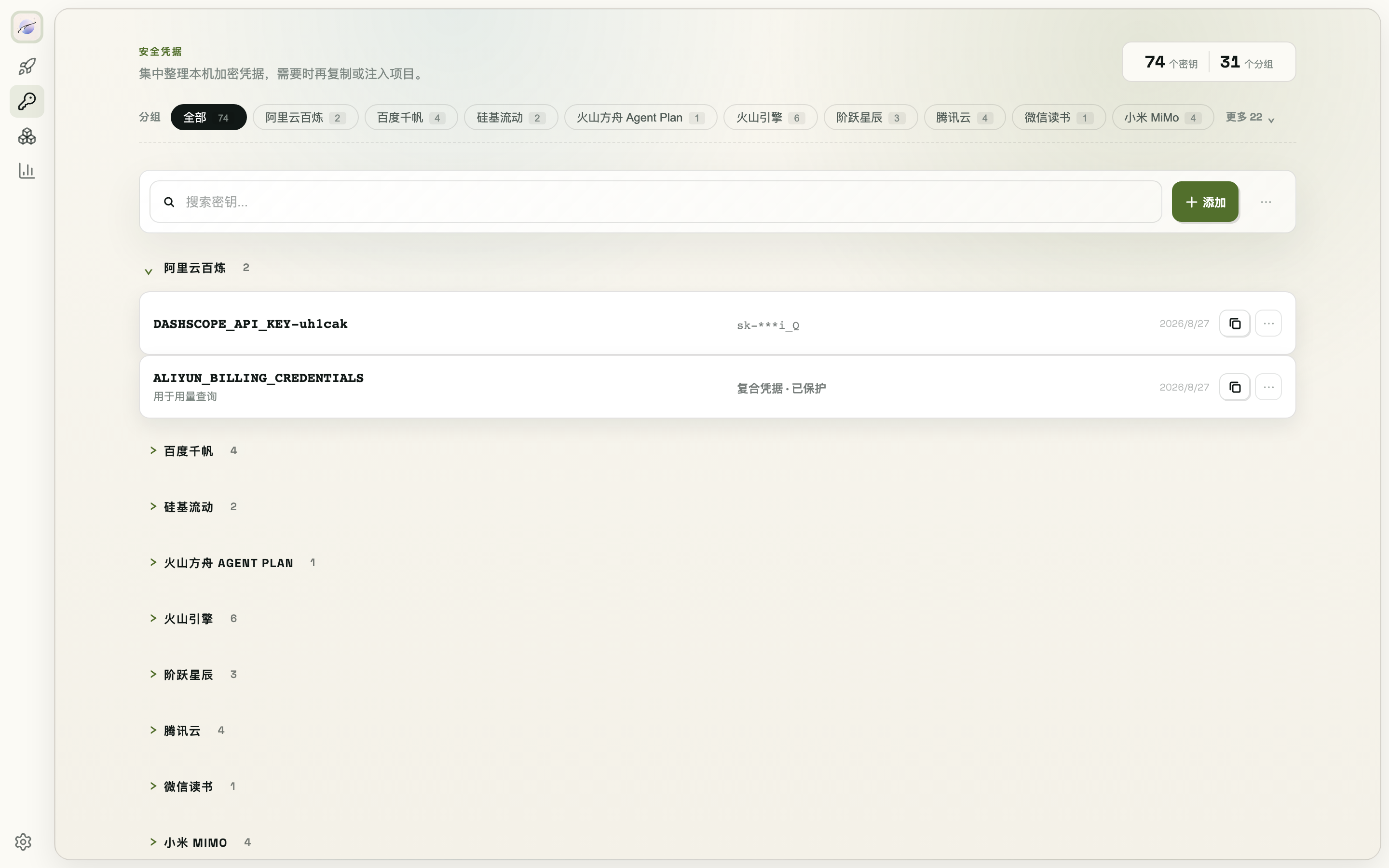
6.1 Add & view
- Add manually: Vault → Add; fill in a name (environment-variable style is recommended, e.g.
CF_API_TOKEN), a group (new ones can be created on the fly), an optional description, and the key value - Auto-create: switch to the "Auto-create" tab in the add dialog and let the browser extension fill the platform's form for you (chapter 5)
- Viewing: keys are listed by group, searchable and collapsible per group; values are masked by default (first 3 + last 3 chars) and stored AES-256-GCM encrypted under
~/.modelswapon your machine - Copy plaintext: the copy icon on a row puts the full value on your clipboard
- Edit / delete: the ⋯ menu at the end of a row; deletion asks for confirmation and cannot be undone
6.2 Import / export
In the toolbar ⋯ menu: export produces a JSON file (containing all plaintext — keep it safe); import deduplicates per entry and reports how many were added/skipped.
6.3 Command line
modelswap vault list                  # list all keys (masked)
modelswap vault set <key>             # store a key (interactive, recommended)
printf '%s' "$SECRET" | modelswap vault set <key> --stdin   # automation: keeps the secret out of shell history
modelswap vault get <key>             # print plaintext
modelswap vault delete <key>          # delete
Inject keys into your current terminal (use with eval):
eval "$(modelswap vault inject --keys OPENAI_API_KEY,OPENROUTER_KEY)"
modelswap vault inject --keys GEMINI_API_KEY --shell zsh   # shell format: bash/zsh/powershell